Style Dictionary vs Direct Export
Two token setups, side by side. The first is a repository with a build/
directory: a Style Dictionary config, a list of custom transforms, an npm
dependency with its own release notes, and output targets for web, iOS,
Android and a documentation site. The second is a generator whose export
panel writes CSS, a Tailwind theme and Figma Variables directly, with the
tokens file committed next to the code and no build step at all. Neither
team is doing it wrong — they have differently shaped problems.
Style Dictionary is a transform pipeline: it takes a token source file and runs it through configurable transforms and formats to emit any target you define. Direct export is the generating tool emitting the common formats itself, with no pipeline to configure. The pipeline is the right road when you have many or bespoke targets; direct export is the right road when the standard web targets cover you — and because a canonical DTCG file can feed a pipeline later, choosing direct export today does not lock the pipeline out tomorrow.
This is the tooling chapter of our design tokens guide: what each road actually is, an honest comparison, and the same token traced down both.
What is Style Dictionary?
The category-defining open-source tool for token transformation, documented at styledictionary.com — when token build pipelines come up, it is usually the reference point, and it is complementary infrastructure rather than a competitor to any generator. It is not a design tool: it has no opinion about what your values should be and no interface for deciding them. It consumes a token source, runs each token through transforms — rename to a platform’s casing, convert units, reformat colors for the target’s syntax — and hands the results to formats that write the target files: CSS custom properties, Sass maps, Swift constants, Android resource XML, JSON for a docs site. Every joint is configurable, and custom transforms are ordinary code you write and own.
That shape makes its home ground clear: many targets, platform-specific naming rules, an existing build pipeline to slot into. It runs as a build step, and platform teams treat it as one.
What is direct export?
The tool that generated the system also writes the consumer formats. The
Scale Composer works this way: it derives type, spacing, color ramps and
light/dark semantic roles from one shared scale, then exports a canonical
DTCG tokens file alongside CSS custom
properties, a Tailwind v4 @theme
block and Figma Variables, hex carried next to the OKLCH — no
configuration, no build dependency, nothing to maintain except the output
itself.
The honest boundary is the menu: direct export covers the formats it covers. For most web products — a stylesheet, a utility theme, a design file — the menu is the whole meal. But a target off the menu cannot be added by configuration, because there is no configuration; that is precisely where the pipeline’s territory begins.
How do the two roads compare?
| Transform pipeline (Style Dictionary) | Direct export (Scale Composer) | |
|---|---|---|
| Setup cost | Config file, npm dependency, build step | None — export is a tool feature |
| Flexibility | Any target; transforms are code you write | The built-ins: DTCG, CSS, Tailwind, Figma Variables |
| Maintenance | A build dependency your team owns and updates | Maintained as part of the tool |
| Team shape | Platform teams serving many consumers | Product teams shipping web |
The table is honest in both directions. “Any target” is real power that costs real ownership — the config, the transforms and the dependency updates belong to somebody on your team. “No setup” is a real economy that buys a fixed menu. Neither column dominates; the deciding row is usually the bottom one.
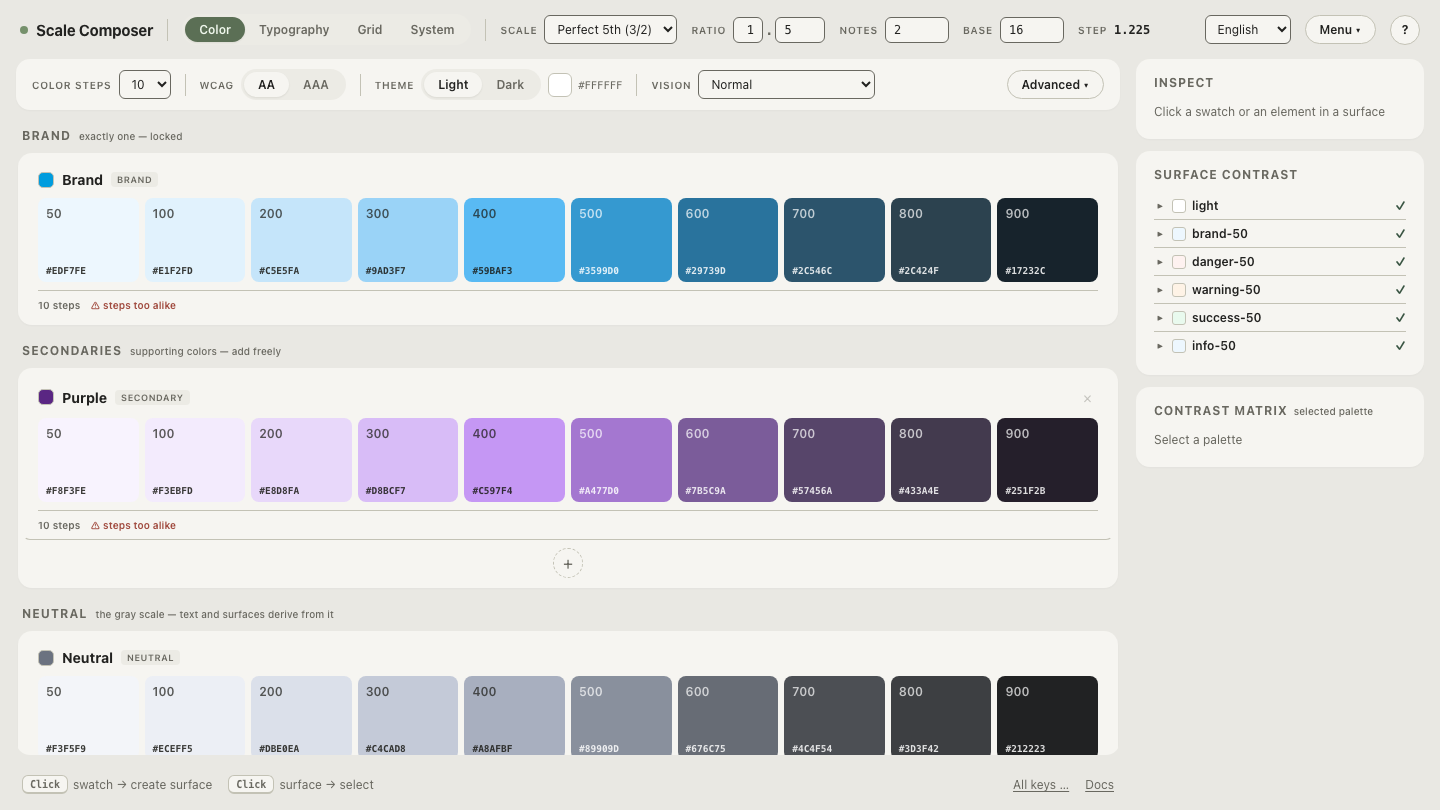
Open the direct exports side by side in Scale Composer — one generated system rendered simultaneously as a DTCG file, CSS custom properties, a Tailwind theme and Figma Variables.
Do you have to choose?
Often, no — and this is the article’s central point: because the Scale Composer’s canonical output is standard DTCG, the file direct export produces is a valid source for a transform pipeline. Run direct export for the everyday loop — decide, export, commit, consume. The day a native app lands on the roadmap, point Style Dictionary’s source at the same committed file and add the new targets; nothing gets re-authored and the everyday loop doesn’t change. The interchange format is what makes the two roads composable instead of exclusive — the payoff of standardizing on DTCG rather than on any tool’s private dialect.
Lock-in fails in both directions. Leave the generator, and the DTCG file remains valid pipeline input. Adopt the generator late, and it imports an existing DTCG file, preserving the sections it doesn’t generate through the round-trip.
When have you outgrown direct export alone?
Three signals, any one of which is sufficient:
- A target the built-ins don’t cover. Native app resources, email-template variables, a themed docs site — anything that needs a file shape the export menu doesn’t offer.
- Per-platform naming transforms. The web wants
--color-accent, Android wantscolor_accent, iOS wantscolorAccent— systematic renaming per target is the pipeline’s defining job. - Documentation generation. When the token file should also produce reference pages, the docs are just another format target.
Note the shape of the move when a signal arrives: addition, not migration. The pipeline consumes the file the everyday loop already produces.
What does the same token look like down each road?
Take one semantic decision — accent references brand-600, which stores
#2563eb, oklch(0.546 0.215 262.9).
Direct road. The CSS export writes the resolved custom property:
:root {
  --accent: #2563eb; /* semantic.accent → color.brand.600 */
}
Pipeline road. A config — sketched by shape here; the exact API lives in the tool’s docs — points at the same canonical file and asks for an Android-class target:
// style-dictionary config, shape not verbatim
{
  source: ["design-tokens.json"],   // Scale Composer's canonical export
  platforms: {
    android: {
      transforms: ["name → snake_case", "color → #AARRGGBB"],
      files: [{ format: "android/resources", destination: "colors.xml" }]
    }
  }
}
emitting a resource of the colors.xml class:
<color name="semantic_accent">#FF2563EB</color>Same decision, two renderings: dots became hyphens and a custom property on one road, snake_case and alpha-first hex on the other. The value is identical on both, because both roads read the same source — the whole argument, visible in three lines of output.
Start from the file both roads share
Whichever road fits today, it begins at the same artifact. Export the canonical DTCG tokens file from Scale Composer — the direct exports beside it for the everyday loop, and the file itself ready to be a pipeline’s source the day a new target appears.